
- Online video downloader
- Streaming Products
- BD-DVD products
- Store
- Useful Articles
- support
Share this article!


Questions like, "I don't know which site is best for saving Instagram videos; could you recommend one?" are frequently seen on sites like Yahoo! Answers. Instagram is a globally renowned social media platform, and many users post videos there every day. When you want to easily save such videos, using an Instagram video saving site is a very common method.
In this article, we'll introduce six carefully selected and recommended Instagram video saving sites, and also provide a detailed explanation of safer and more stable alternative tools. Please read to the end.

Related Posts:
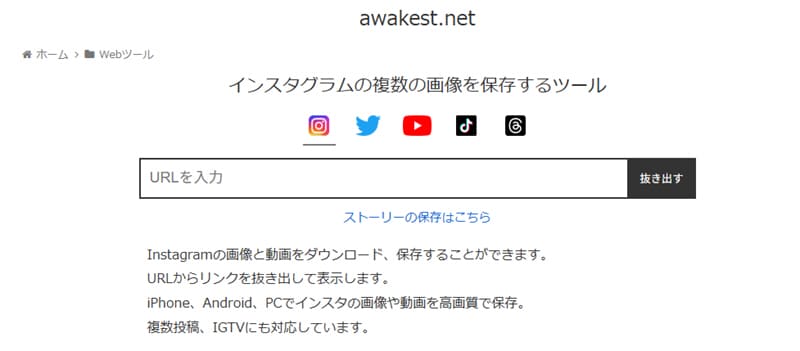
Awakest is one of the easier-to-use online download sites for saving social media videos. You can download videos from various social media platforms, including Instagram. Simply paste the link of the Instagram video you want to save into the search bar."Extract" buttonIt's easy to use and operates simply by clicking to save.
However, a drawback is the frequent display of ads, with pop-up ads appearing with every click. Additionally, link analysis is slow, sometimes requiring tens of seconds of waiting, and occasionally fails, resulting in a lack of stability.
Advantages:
Cons:
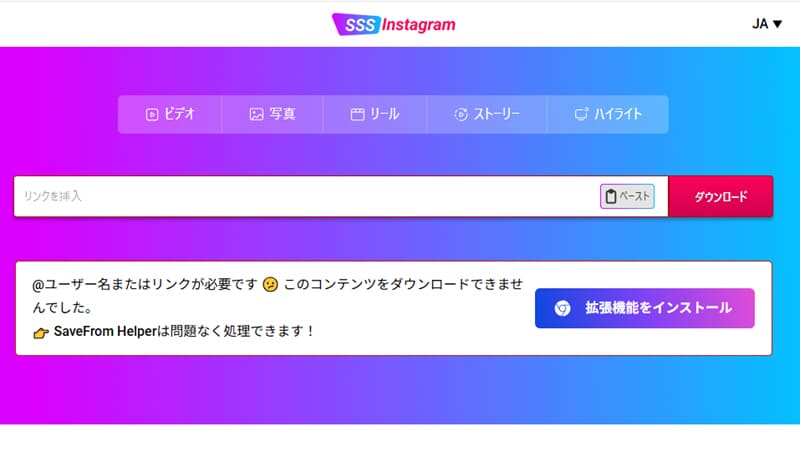
SSSInstagram is a convenient online tool for saving Instagram videos. Its simple and intuitive interface makes it easy to understand and use, even for beginners. It also supports a wide range of content, including videos, photos, Reels, Stories, and Highlights, meeting various Instagram saving needs.
However, it's important to note that you cannot select the video quality during download, and there's a high risk of being redirected to external sites or accidentally clicking on advertisements.
Advantages:
Cons:
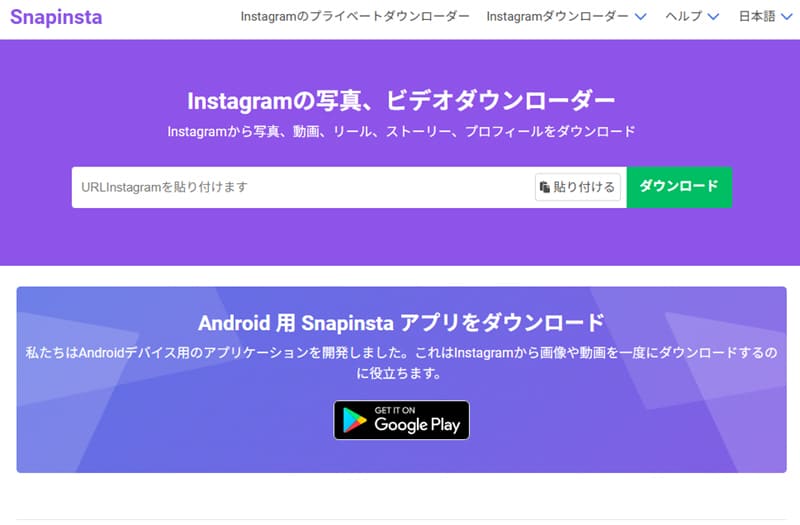
Snapinsta is one of the easier-to-use online tools for saving Instagram videos, designed to allow you to easily download Instagram photos and videos to your smartphone or computer. Compared to other Instagram video saving sites, it features faster link analysis speeds and the ability to download Instagram videos in high quality.
However, its functionality is somewhat limited, and you may need to install a separate app to use more advanced download features. Also, while it is officially stated that you can select the image quality and size, this may not be available in the actual browser version, so please be aware of this.
Advantages:
Cons:
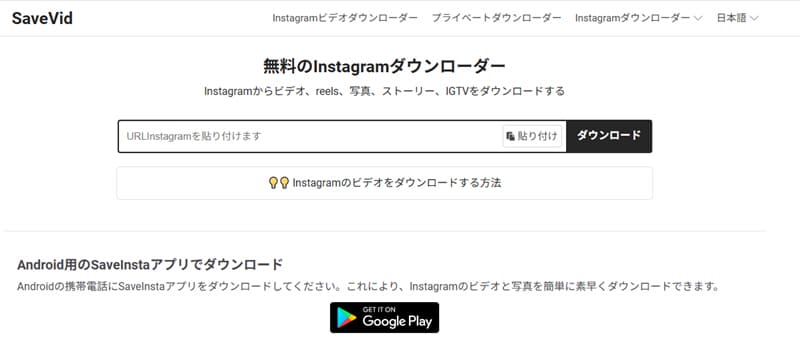
SaveVid is one of the best Instagram video saving sites, as it supports downloading not only Instagram videos but also Instagram photos, videos, Reels, Stories, and IGTV. Its ability to freely select the image quality when saving Instagram images is particularly appealing, catering to a variety of needs.
However, a drawback is the large number of advertisements. Also, while you can select the image quality when saving images, you cannot freely choose the quality when saving Instagram videos, which may be inconvenient for users who want to customize the saving process in detail.
Advantages:
Cons:
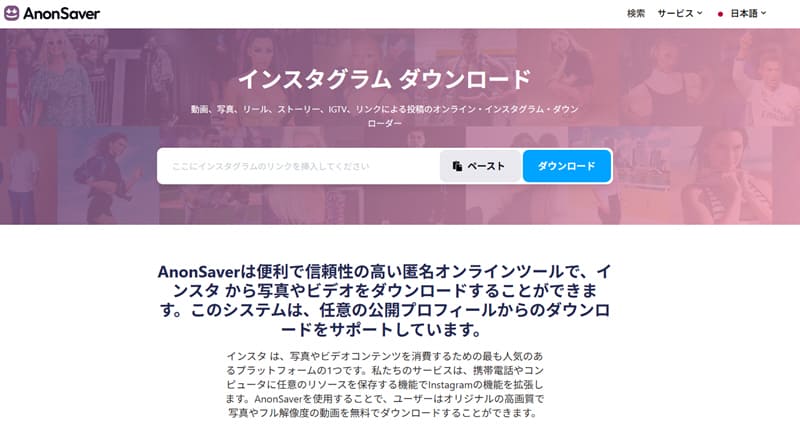
If you're looking for an Instagram video saving site with fewer ads and relatively easy to use, AnonSaver is a great option. Compared to other Instagram video saving sites, it features fewer ads and a stress-free user experience. Furthermore, you can preview information such as the video's content, likes, and summary before downloading, making it suitable for users who want to carefully check everything before saving.
However, download speeds may be unstable, and link analysis may take time in some cases. Therefore, please be aware that processing may be slow depending on the timing.
Advantages:
Cons:
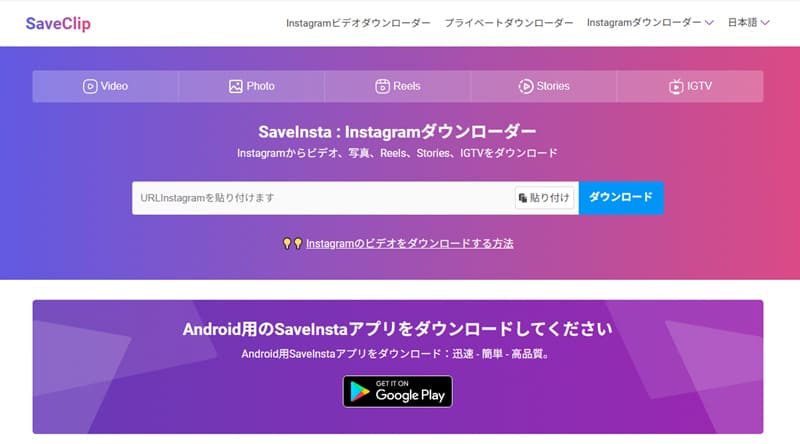
SaveClip is one of the easiest-to-use online Instagram downloaders among Instagram video saving sites. It allows you to download Instagram videos, photos, stories, reels, IGTV, and more with simple steps, and its link analysis speed is relatively fast, making it suitable for users who want to quickly save Instagram videos.
However, on iPhones, you will need iOS 13 or later and the Safari browser, and in some cases, you may also need to use apps such as "Documents by Readdle." Also, please note that the Japanese localization of the site is incomplete, and some parts of the display remain in English.
Advantages:
Cons:
This article introduced six recommended websites for saving Instagram videos, but these sites may have issues in terms of stability, download speed, and security. Furthermore, a significant number of these sites display advertisements, which is another drawback. So, are there safer and more efficient alternatives?
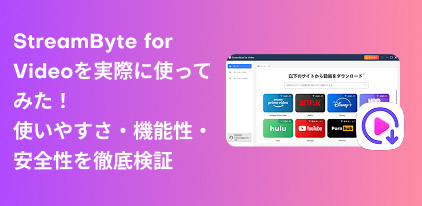
Therefore, I recommend a tool that can serve as an alternative to Instagram saving sites:StreamByte for VideoThis software allows you to save Instagram videos locally in almost lossless high quality and play them anytime.Instagram Stories can also be saved without restrictions.This allows you to easily back up your important videos. Furthermore, it supports high-speed downloads and has a low failure rate, providing a smooth and comfortable storage environment.
StreamByte for Video
This is a video downloader that supports major streaming services such as Netflix, Amazon Prime, and YouTube. You can save and enjoy your favorite videos with high image quality up to 8K and Dolby Atmos audio.
Why StreamByte for Video is recommended
| Instagram video saving site | StreamByte for Video | |
| Output Format | Most only support MP4. | MP4, MKV, MOV |
| Safety | low | expensive |
| Stability | Unstable | expensive |
| save speed | slow | Up to 8x speed |
| Video quality | Standard definition | Lossless image quality |
| success rate | low | expensive |
| Analysis speed | slow | high speed |
Instagram video saving site andStreamByte for VideoComparing them using the comparison table above, "StreamByte for Video" excels in various aspects such as safety, stability, saving speed, and download success rate. Furthermore, while many Instagram video saving sites only support MP4 format, "StreamByte for Video" supports saving in MKV and MOV formats as well as MP4, allowing you to choose the optimal format for your needs. Overall, "StreamByte for VideoThis is arguably the best alternative software for saving Instagram videos.
Here, "StreamByte for VideoThis explains how to easily save Instagram videos in high quality using [this method].
step 1Launch "StreamByte for Video" and enter your accountLog inThen, from the multiple video sites that appear, select Instagram.
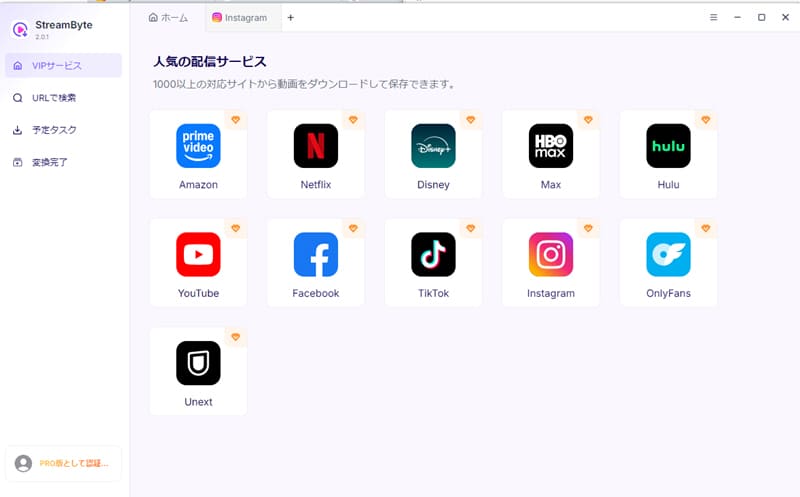
Step 2After logging into your Instagram account, search for the Instagram video you want to save.
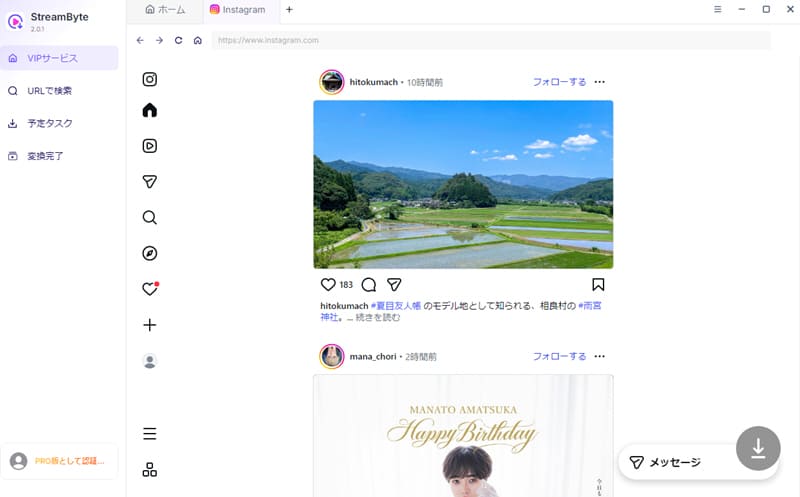
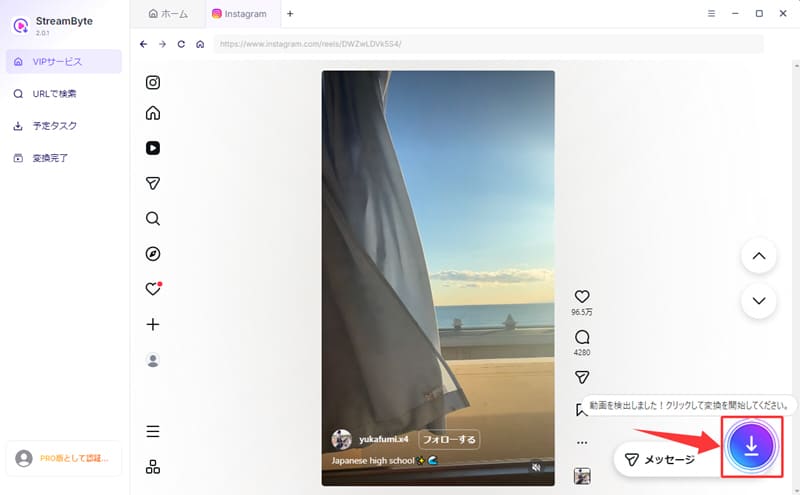
Step 3When you find an Instagram video you want to save, the program will automatically analyze the video on the page. After the analysis is complete, click in the bottom right corner."Download" buttonClicking this will start saving the Instagram video.
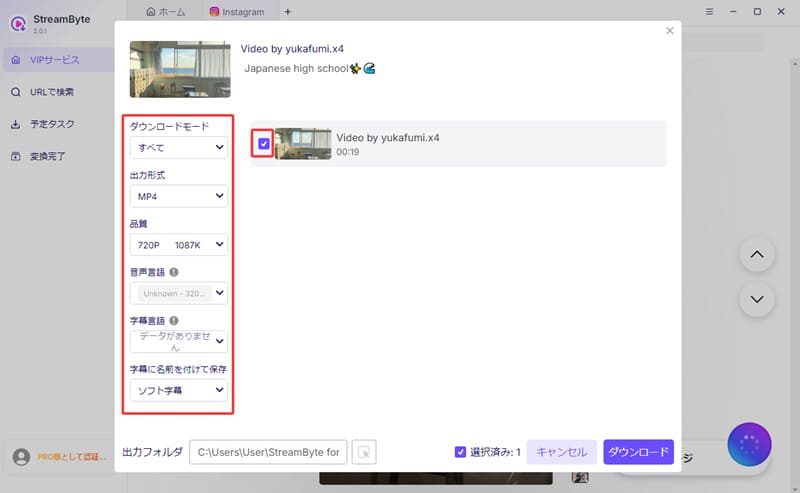
Step 4Then, set the output format, audio track, subtitles, etc. as needed. Once you have finished setting it up, click in the bottom right corner."Download" buttonClick to start saving the Instagram video.
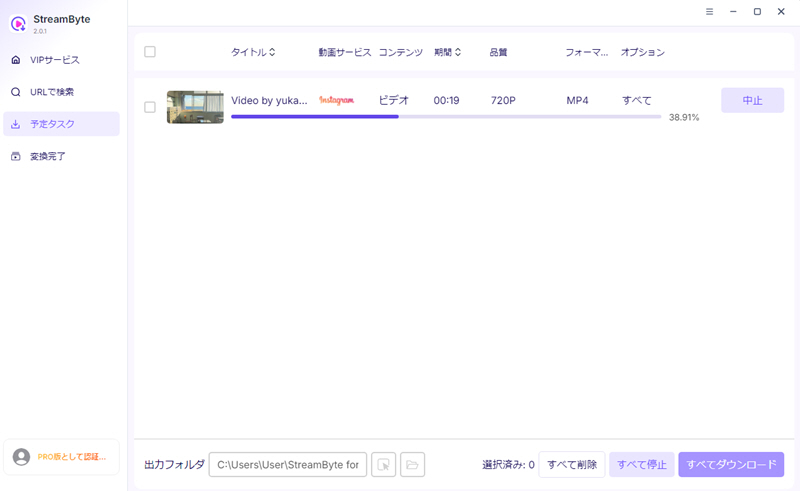
Step 5The download progress is"Scheduled Tasks" tabYou can check it anytime. Completed videos will be automatically saved."Conversion Complete" tabYou can go there and immediately check the Instagram videos you saved.
"StreamByte for VideoThis app allows you to save Instagram videos in formats such as MP4, MKV, and MOV. You can also freely select the video quality during saving, catering to a variety of user needs. Compared to traditional Instagram saving sites, it maintains a simple and user-friendly interface, is completely ad-free, and provides a smoother download experience. Furthermore, it features a built-in web player, making it extremely convenient to search for and save Instagram videos all within the app.
100% safe, virus-free
100% safe, virus-free
Downloading videos using Instagram saving sites is not necessarily illegal. Generally, it's not a problem if you save them for personal viewing or learning purposes. However, reposting saved videos without permission or using them commercially may constitute copyright infringement. However, specific legal judgments vary by country and region, so you should check with your local authorities for the most up-to-date information.
Downloading videos from Instagram saving sites generally won't reveal your identity to the original poster. This is because Instagram doesn't have a system in place to directly notify users of downloads. However, reposting saved videos without permission or using them commercially could constitute copyright infringement. Therefore, it's important to use them appropriately and only for personal use.
The security of Instagram photo saving sites is not universally high. While the sites introduced in this article are relatively safe, many free sites contain advertisements and external links. Therefore, it is impossible to completely eliminate the risk of being redirected to fake sites or infected with viruses. When using such sites, choose a trustworthy site and be careful of suspicious links.
This article provided a detailed introduction to six recommended websites for saving Instagram videos. However, these online download sites may have some issues in terms of stability and security. Therefore, as an alternative tool that is more stable and safer to use,StreamByte for Video" was introduced.
This software boasts excellent download stability and speed, minimizing the risk of download failures while maintaining high speed. Furthermore, saved videos maintain virtually lossless high quality, making it suitable for users who prioritize image quality. In addition, its simple, ad-free interface ensures a comfortable and safe user experience.
"StreamByte for VideoA free trial version is available, so if you want to save Instagram videos, please give it a try!
100% safe, virus-free
100% safe, virus-free
Born in Tokyo in 1997. After graduating from a university in London, he worked at a major IT media company, writing articles about video streaming services, video downloaders, and digital content.More than 3 years of experience in editing, proofreading, and writing directionThe articles he has worked on have garnered over 5 million page views, and he is well-known for producing content that is carefully crafted from the reader's perspective.
Currently, as an editor and web writer at StreamByte, he works on creating articles that help users solve their problems, focusing on information related to video streaming services and downloads, with the aim of being "user-oriented, easy to understand, and immediately useful."
Read more articles together


Experts in supporting offline viewing of streaming video services
Subscribe to StreamByteCopyright © 2026 StreamByte. All rights reserved.



Get the latest news, product upgrades, information, guides, discounts and more about StreamByte.
Please enter a valid email address.

A highly capable video downloader:
StreamByte for Video
Even beginners can rest assured! You can try saving videos for free first!







 English
  Japanese
  Chinese (traditional)
  German