
- Online video downloader
- Streaming Products
- BD-DVD products
- Store
- Useful Articles
- support
Share this article!


U-NEXT is one of the most popular video streaming services, offering a wide variety of content including movies, dramas, and anime. For those who want to watch their favorite shows offline or enjoy content on the go without worrying about data usage, downloading and saving U-NEXT videos to your PC is highly recommended.
However, U-NEXT does not officially offer a function to download videos to PCs, which is a major problem for users who want to save videos. Therefore, this article will explain in detail how to download U-NEXT videos to your PC. Each step is easy to understand even for beginners, so please refer to it until the end.
Related Posts:
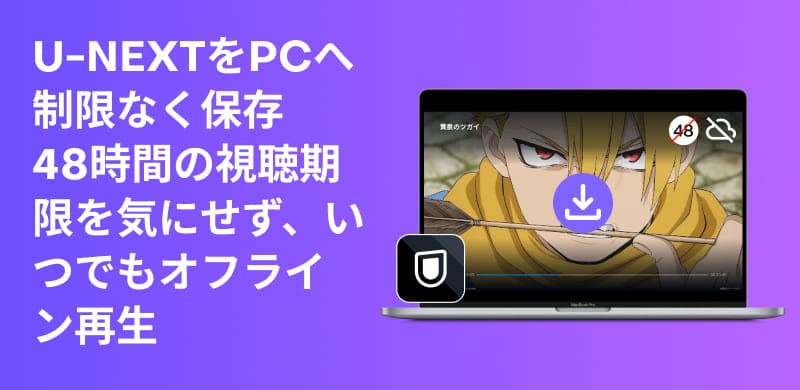
Many people are wondering if they can download U-NEXT videos to their PCs using the official features. Unfortunately, U-NEXT currently does not offer a video download function for PCs. The official download function is only available for iPhones/iPads and Android smartphones/tablets. Furthermore, the download function has the following limitations:
The main reason the PC version of U-NEXT lacks a download function is for copyright protection and to prevent unauthorized use. Smartphone apps protect content by restricting playback to within the app after download. However, on PCs, especially in browser environments, the risk of video files being directly obtained and saved is higher.
Therefore, U-NEXT does not offer a video download function for its PC browser version, and offline viewing requires using the smartphone or tablet app. Furthermore, even content downloaded via the app has restrictions such as viewing expiration dates and compatible devices, and cannot be freely moved or saved to a PC.
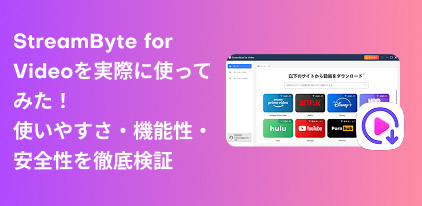
U-NEXT's official features do not support downloading videos to a PC, but there is a dedicated video downloader,StreamByte for VideoBy using this service, you can save U-NEXT videos to your PC and enjoy them there.
StreamByte for Video
This is a video downloader that supports major streaming services such as Netflix, Amazon Prime, and YouTube. You can save and enjoy your favorite videos with high image quality up to 8K and Dolby Atmos audio.
Why StreamByte for Video is recommended
Here, "StreamByte for VideoThis guide will show you how to easily download U-NEXT videos to your PC using [this method].
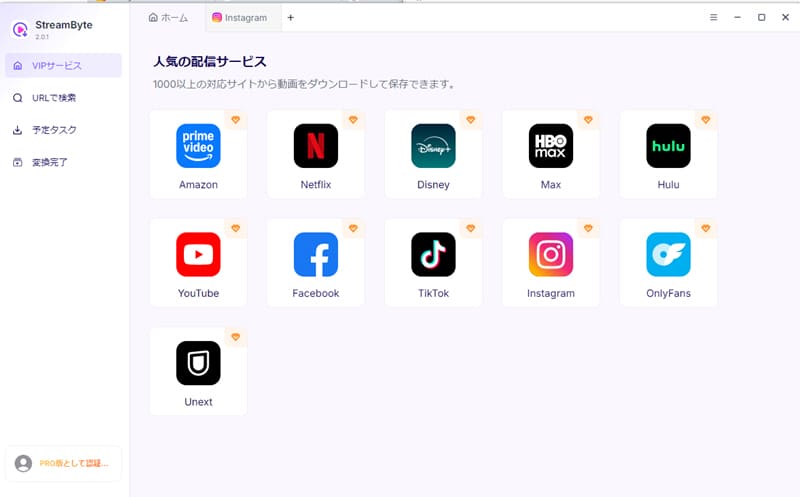
step 1After launching "StreamByte for Video," register. Select U-NEXT from the list of compatible services displayed on the main screen, and then select the service you are using.U-NEXTaccountLog inI will.
Step 2Once you have logged in, select the U-NEXT video you want to save within the program.searchYes, when you select the target work and open the playback screen, the video analysis will start automatically.
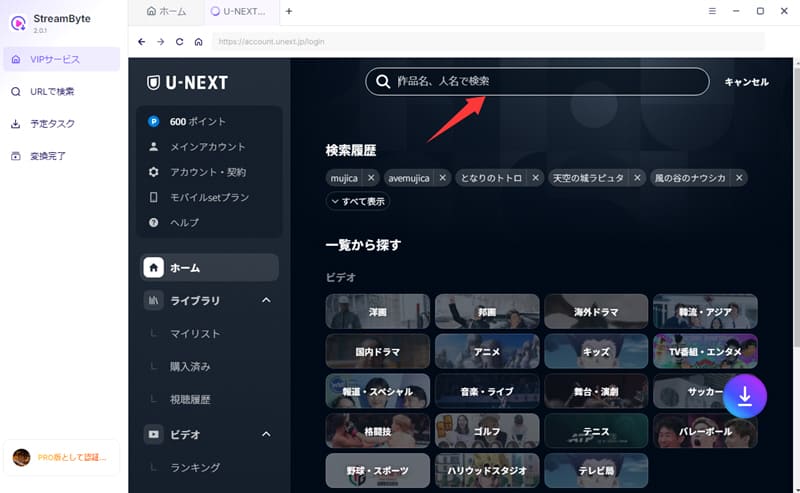
Step 3After the video analysis is complete, it will be displayed in the lower right corner of the screen.Download iconClick here. Clicking this will add the selected U-NEXT video to your download list.
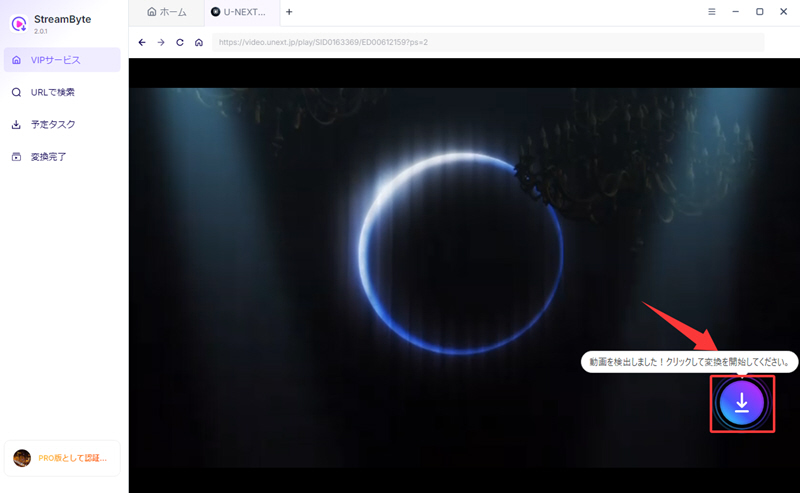
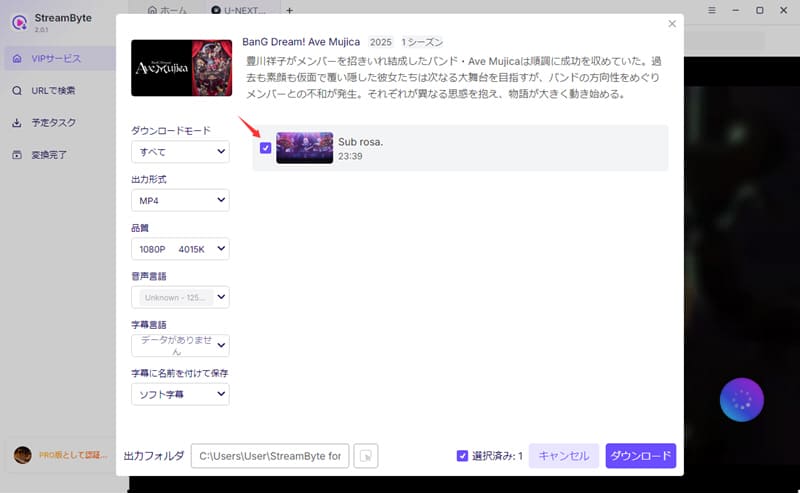
Step 4On the displayed download screen, you can change items such as image quality and output format as needed. After checking the various settings, click in the bottom right corner."Download" buttonClicking this will start the download of the U-NEXT video.
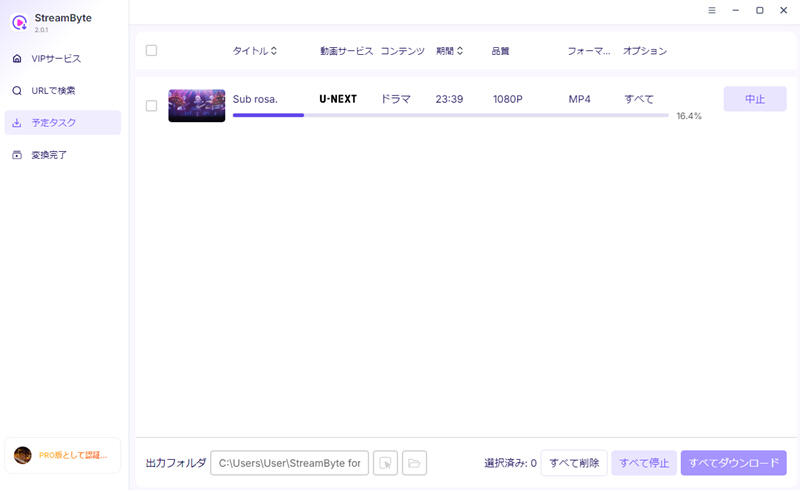
Step 5The download progress is"Scheduled Tasks" tabYou can check it there. Videos that have been processed will be automatically..."Conversion Complete" tabThe video will be redirected to a location where you can open and view the saved U-NEXT video. This allows you to download U-NEXT videos to your PC.
"StreamByte for VideoUsing this tool, you can save U-NEXT videos to your PC in lossless, high-definition quality. You can enjoy a comfortable viewing experience even offline, just like when watching through the official app. Furthermore, it supports high-speed downloads, so videos of about 20 minutes can be saved in just a few minutes, significantly reducing download time. In addition, the user interface is simple and intuitive, so even those using a video saving tool for the first time can easily get started without any trouble.
100% safe, virus-free
100% safe, virus-free
In addition to the methods described above, there is also a method to save U-NEXT videos to your PC using recording software. This method allows you to save U-NEXT videos to your PC and watch them offline. However, because many U-NEXT videos are protected by DRM, problems such as the screen appearing black during recording or the video not being saved correctly may occur. Therefore, if you want to reliably save U-NEXT videos to your PC,StreamByte for VideoWe recommend using a video downloader like the one shown above to download U-NEXT videos.
Here, we'll show you how to save U-NEXT videos to your PC using recording software, specifically OBS Studio, as an example.
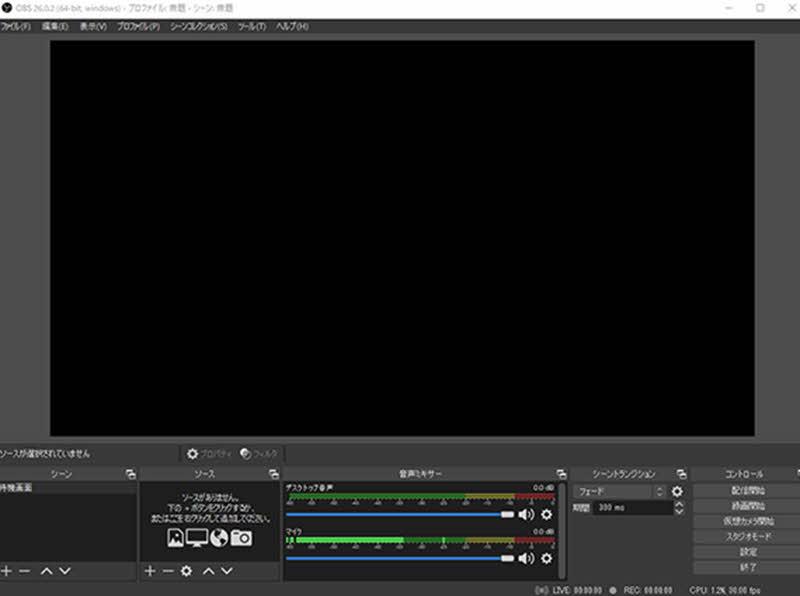
step 1First, open the playback screen of the U-NEXT video you want to save to your PC. Then, launch OBS Studio,"sauce"from"Screen capture"Add this to set the U-NEXT video playback screen as the recording target.
Step 2After adjusting the recording range and audio settings as needed, play the U-NEXT video you want to record."Start recording"Clicking the button will start recording.
Step 3When ending the recording,"Stop recording" buttonClick the button. After recording is complete, the video file will be automatically saved to the previously specified save folder.
Downloading U-NEXT videos to your PC using external tools is illegal, but in practice, you are unlikely to be held liable if it is for personal use. However, distributing the saved videos to third parties or using them for commercial purposes may constitute copyright infringement. Therefore, please check U-NEXT's terms of service and local laws before using them and use them within appropriate limits.
You cannot transfer videos downloaded using the U-NEXT smartphone app to your PC. Downloaded videos are protected by DRM and saved in an encrypted state, making them unsuitable for transfer to other devices or free editing. If you wish to save U-NEXT videos to your PC, you will need to use a dedicated video downloader.StreamByte for Video" is recommended.
Works downloaded using the U-NEXT app are protected by DRM, so verification of your subscription status and license authentication are required. Therefore, if you cancel your U-NEXT subscription, you may no longer be able to watch downloaded works. On the other hand,StreamByte for VideoBy using a tool that supports DRM removal, such as [tool name], you can play downloaded U-NEXT videos offline even after your contract ends.
This article provides a detailed explanation of how to download U-NEXT videos to your PC. While recording software is one way to save U-NEXT videos, it may result in a black screen or long recording times. Therefore, for those who want to save U-NEXT videos to their PC more safely and conveniently, we recommend using a dedicated video downloader.StreamByte for Video" is recommended.
This software allows you to download DRM-protected U-NEXT videos to your PC in common formats such as MP4, MKV, and MOV. Unlike recording methods, there's no need to worry about black screens. After downloading, you can not only play U-NEXT videos but also freely edit and manage them. Furthermore, because it saves in lossless high quality, you can enjoy a comfortable viewing experience even in places without an internet connection.
the current"StreamByte for VideoA free trial version is also available, so if you want to download U-NEXT videos to your PC, please give it a try.
100% safe, virus-free
100% safe, virus-free
Born in Tokyo in 1997. After graduating from a university in London, he worked at a major IT media company, writing articles about video streaming services, video downloaders, and digital content.More than 3 years of experience in editing, proofreading, and writing directionThe articles he has worked on have garnered over 5 million page views, and he is well-known for producing content that is carefully crafted from the reader's perspective.
Currently, as an editor and web writer at StreamByte, he works on creating articles that help users solve their problems, focusing on information related to video streaming services and downloads, with the aim of being "user-oriented, easy to understand, and immediately useful."
Read more articles together
Experts in supporting offline viewing of streaming video services
Subscribe to StreamByteCopyright © 2026 StreamByte. All rights reserved.



Get the latest news, product upgrades, information, guides, discounts and more about StreamByte.
Please enter a valid email address.

A highly capable video downloader:
StreamByte for Video
Even beginners can rest assured! You can try saving videos for free first!







 English
  Japanese
  Chinese (traditional)
  German