
- Online video downloader
- Streaming Products
- BD-DVD products
- Store
- Useful Articles
- support
Share this article!


Netflix is a highly popular video streaming service that offers a vast amount of content. However, there are many reports online of users experiencing problems such as being unable to watch videos on Netflix. This situation has left many users confused and unable to enjoy the content as they would like.
This article will explain in detail the reasons why you might not be able to watch Netflix and how to fix them, and finally, we will introduce a fundamental solution. Please read to the end.
Related Posts:
There are many reasons why you might not be able to watch Netflix. Network issues, device malfunctions, app version issues, and more—the appropriate solution varies depending on the cause. Below, we'll examine the main reasons why you might not be able to watch Netflix, case by case, and explain the solutions in detail.
If you're having trouble watching Netflix, the first thing you should do is check your account status. Make sure your subscription hasn't expired and that you haven't exceeded the limit on the number of devices that can stream simultaneously. Netflix has a limit on the number of simultaneous streams, and exceeding this limit may prevent you from watching Netflix.
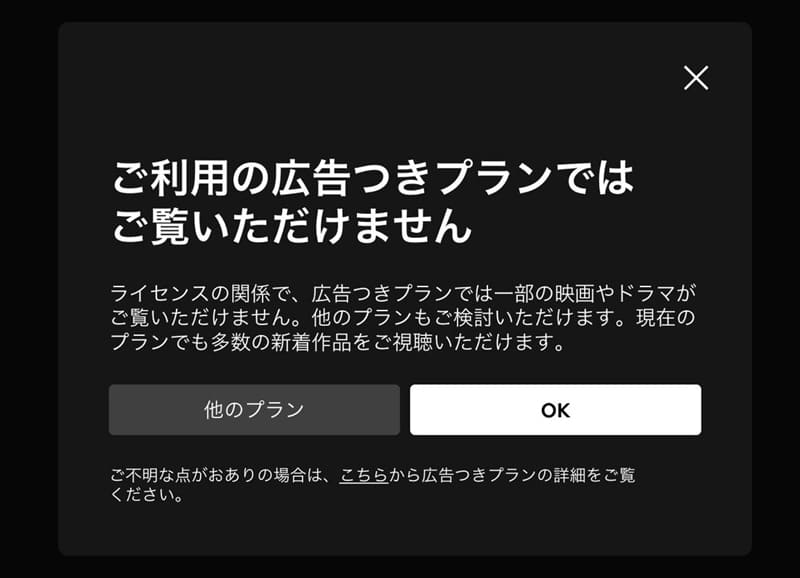
Also, you should pay attention to the type of plan you are using. In particular, with Netflix's ad-supported plans, while you can save money, some titles may be excluded from viewing.
SolutionChecking your current account status and trying to log in again or reviewing your subscription details can be helpful. If you are unable to watch due to an ad-supported plan, we recommend considering switching to a different plan.
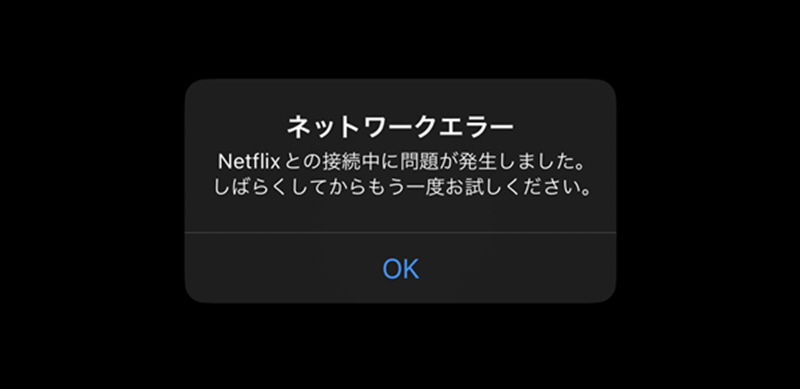
Network connection problems are one of the most common reasons why you might not be able to watch Netflix. If you don't have a proper internet connection, videos may load slowly or playback may be interrupted, and if the connection remains unstable, you may eventually be unable to watch Netflix at all.
SolutionFirst, check your Wi-Fi and mobile data connection status and reconnect if necessary. Restarting your router may also resolve the issue. If you are using a VPN, it may cause unstable connections, so we recommend turning it off and trying again.
The Netflix app is regularly updated, so using an older version may prevent you from watching Netflix. Additionally, Netflix has discontinued support for some older iOS and Android versions, so if your system version is too old, you may not be able to watch Netflix. Please refer to the official information below for compatibility details.
Netflix compatible browsers and system requirements:https://help.netflix.com/ja/node/30081
SolutionIf you are using an older version of the app, please update it to the latest version first and then try again. Also, if your system version is outdated, please update your system to meet the operating requirements.
Because Netflix is used by a large number of users worldwide, it may become unavailable due to high traffic or temporary system malfunctions. Additionally, server failures or overall service issues may occur, which could temporarily prevent users from logging in or accessing content.
SolutionIf Netflix is experiencing an outage, there are limited actions users can take, so you will need to wait for it to be restored. It is also important to check the official Help Center for outage information and to understand the situation. Furthermore, if you want to save videos in advance,StreamByte for VideoBy using video download software such as [software name], you can prepare to watch videos even in an offline environment.
When playing videos on Netflix, cache data tends to accumulate in the app, browser, or streaming device such as a Fire TV Stick. If this cache remains for a long period without being deleted, it can cause performance to slow down, loading errors to occur, and ultimately prevent you from watching Netflix.
SolutionThe method for clearing the Netflix app cache varies depending on your device.
If you are using an Android device, open "Settings" from the home screen, go to "Applications" → "Manage installed applications," select the Netflix app, and then perform "Clear cache," "Clear data," and "Force stop" in that order. If you select "Clear data," a confirmation screen will appear, so tap "Clear data."
If you are using an iOS device, firstSettings appOpen it, go to "Safari" → "Clear History and Website Data","Clear history and data"Tapping this will clear Safari's cache and browsing data.
Also, if you are using a desktop browser such as Chrome, click the upper right corner of the screen.Menu buttonYou can clear the cache by selecting "More tools" → "Clear browsing data" → "Delete data".
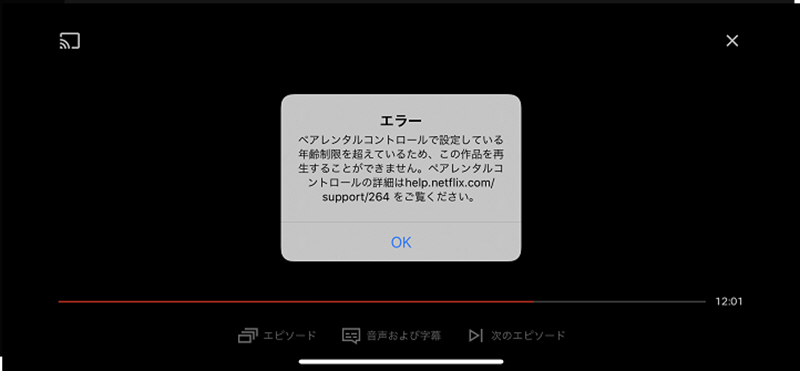
Each Netflix "profile" has a viewing restriction level, and the range of content you can watch differs depending on the profile. If a title exceeds the age restriction level of your profile, or if the title is blocked on your profile, it may not be displayed or playable. In such cases...Some Netflix content is unavailable.This is the state it will be in.
SolutionCheck your profile's age restriction settings and content blocking settings, and change the restriction level to an appropriate range to prevent content from being displayed.
Netflix manages distribution rights on a country/region basis for each title, so the same title may be available in some regions but not others. Therefore, if the distribution rights for a title are not yet valid, or if it is not available in your region, the title may not be displayed or playable. As a result, some Netflix content may be unavailable.
SolutionIf the work itself is subject to regional restrictions, users cannot directly remove them, so they will need to wait for the distribution to begin or check the distribution status in other regions.
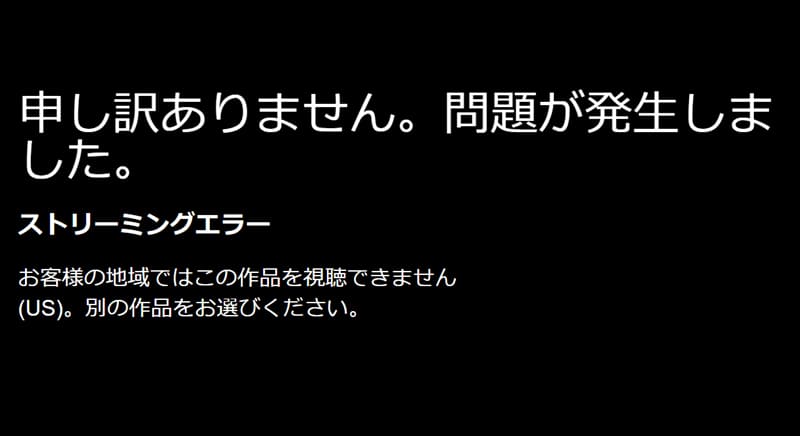
The above explains in detail the main causes and solutions for problems watching Netflix. However, in reality, there are many minor factors and exceptional cases, so even just identifying the cause can take time. Therefore, many people wonder if there is a way to fundamentally solve the problem of not being able to watch Netflix.
Therefore, I recommend the specialized video download software "StreamByte for VideoThis software features powerful DRM removal capabilities, allowing you to save Netflix videos in common formats such as MP4 and play them offline. This makes it less susceptible to many network environment and app-side restrictions, fundamentally avoiding the problem of not being able to watch Netflix.
StreamByte for Video
This is a video downloader that supports major streaming services such as Netflix, Amazon Prime, and YouTube. You can save and enjoy your favorite videos with high image quality up to 8K and Dolby Atmos audio.
Why StreamByte for Video is recommended
Here, "StreamByte for VideoThis explains how to easily download Netflix videos using [this method].
step 1"StreamByte for Video"Log inAfter that, several popular streaming services, including Netflix, will be displayed on the main interface.NetflixPlease select one.
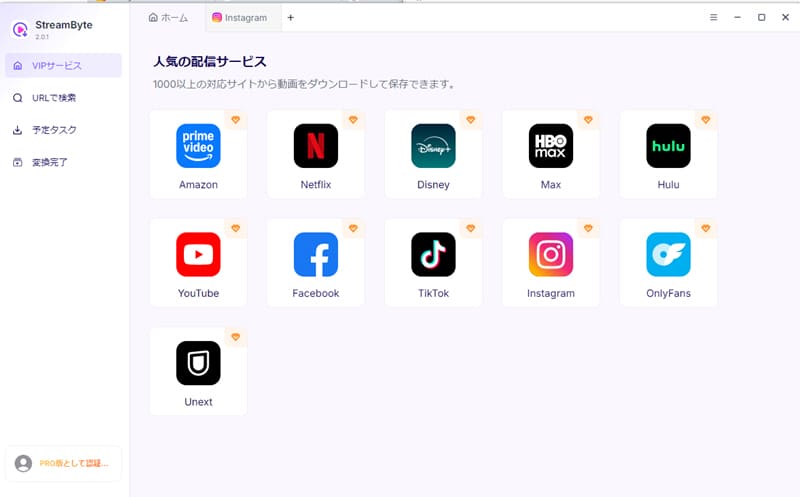
Step 2After logging into your Netflix account, open the video you want to save, and it will be enabled.Download iconClick
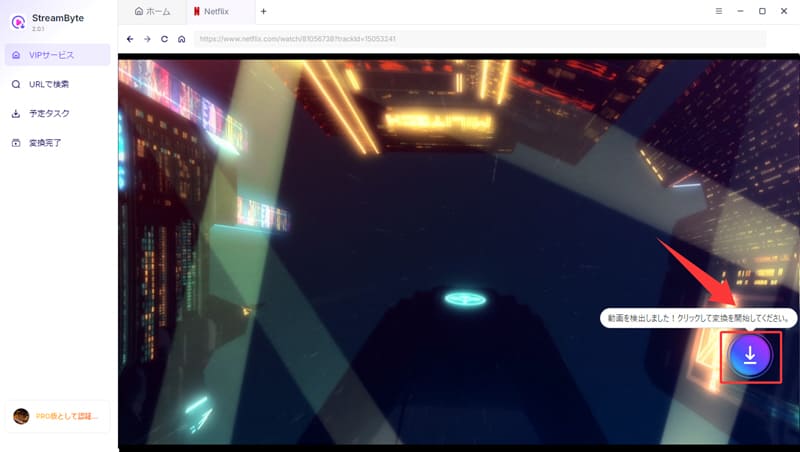
Step 3You can change the output format, audio, subtitles, and other settings as needed. (See the bottom right.)"download"Clicking the button will start the download.
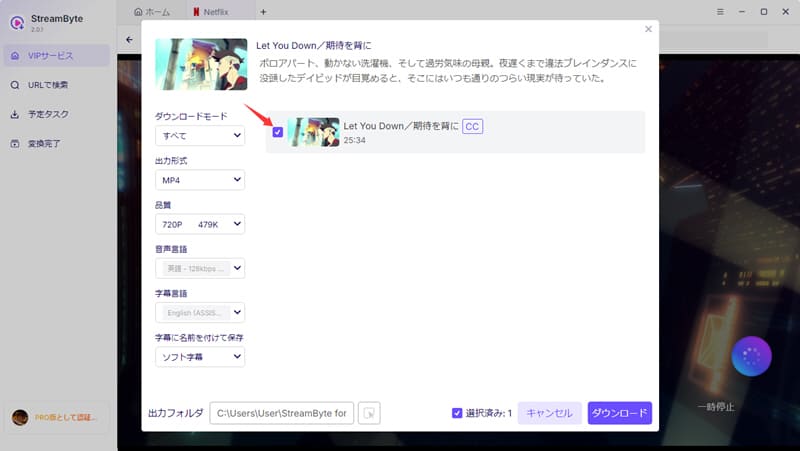
Step 4The download progress can be checked on the "Scheduled Tasks" screen. Once the download is complete, the video will automatically move to the "Conversion Complete" screen.Save Netflix videos to your computerYou can.
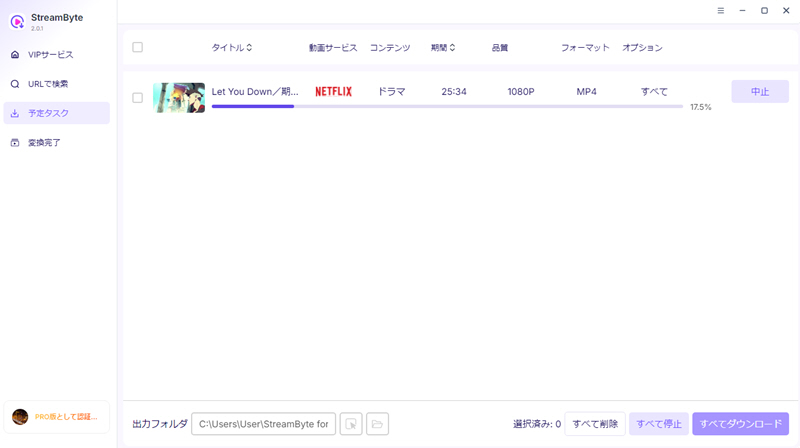
"StreamByte for VideoIf you use "",Save videos from Netflix in a common format such as MP4.This allows you to save videos locally and watch them anytime. Because it's less affected by network conditions and streaming restrictions, it fundamentally avoids the problem of not being able to watch Netflix. Furthermore, with its built-in web player and simple, intuitive interface, even beginners can easily use it. The stable user experience, similar to the official app, is a major advantage, allowing for comfortable video management and viewing.
100% safe, virus-free
100% safe, virus-free
There are various reasons why Netflix might suddenly stop playing. These could include an unstable network connection, accumulated cache, or a temporary outage on Netflix's end. Therefore, it's recommended to first identify the cause and then try the troubleshooting methods outlined in this article in order.
If the above methods do not improve the situation,StreamByte for VideoIt's also recommended to download videos in advance using services like [mention specific download methods here]. This allows you to play them offline, making it easier to avoid problems with not being able to watch Netflix.
Possible reasons why you might be unable to watch Netflix live streams include network connection issues, a temporary outage on Netflix's end, or your device or app not being compatible with live streaming. Also, live streaming requires a more stable connection than regular videos, so playback may fail depending on your network conditions. First, check your network environment, then update the Netflix app to the latest version and try again.
Videos downloaded via the Netflix app are protected by DRM, which may prevent you from watching them. The main reasons for this include your Netflix subscription expiring or not having an internet connection for an extended period. Additionally, downloaded content may have an expiration date, after which playback will no longer be possible.
If you want to save Netflix videos for a long period of time, you should use a video download software that supports DRM protection.StreamByte for VideoWe also recommend using this service.
You may be unable to watch Netflix on your TV due to a faulty HDMI connection, a temporary malfunction, or HDCP authentication issues with your Fire TV Stick. In this case, disconnect the Fire TV Stick from the HDMI port on your TV, unplug the power cord, and restart it. Also, try using the included HDMI extension cable to check if the connection is working correctly.
This article has explained in detail the main reasons why you might not be able to watch Netflix and how to deal with them. However, in reality, identifying and resolving each cause can be time-consuming and troublesome. Therefore, we would like to recommend the convenient method introduced earlier that can fundamentally avoid the problem of not being able to watch Netflix.StreamByte for Video"is.
StreamByte for Video is a professional video download software that supports DRM protection and allows you to save Netflix videos in common formats such as MP4 and MKV. Once downloaded, you can access them anytime, without being affected by internet connection issues, Netflix app malfunctions, or the end of streaming availability.Watch Netflix offlineYes, it's possible. This helps prevent problems with watching Netflix and provides a more comfortable viewing experience.
"StreamByte for Video"forFree trial versionIt's also available. If you're having trouble watching Netflix, please feel free to download the software and give it a try.
100% safe, virus-free
100% safe, virus-free
Born in Tokyo in 1997. After graduating from a university in London, he worked at a major IT media company, writing articles about video streaming services, video downloaders, and digital content.More than 3 years of experience in editing, proofreading, and writing directionThe articles he has worked on have garnered over 5 million page views, and he is well-known for producing content that is carefully crafted from the reader's perspective.
Currently, as an editor and web writer at StreamByte, he works on creating articles that help users solve their problems, focusing on information related to video streaming services and downloads, with the aim of being "user-oriented, easy to understand, and immediately useful."
Experts in supporting offline viewing of streaming video services
Subscribe to StreamByteCopyright © 2026 StreamByte. All rights reserved.



Get the latest news, product upgrades, information, guides, discounts and more about StreamByte.
Please enter a valid email address.

A highly capable video downloader:
StreamByte for Video
Even beginners can rest assured! You can try saving videos for free first!







 English
  Japanese
  Chinese (traditional)
  German